What is a Customer Service Agent in Salesforce?
A Customer Service Agent built with Agentforce is an AI-powered assistant in Salesforce designed to interact with customers, answer inquiries, and perform support-related actions. These agents can automate tasks like checking case status, retrieving customer data, and assisting with order inquiries based on how topics and actions are configured in the agent. They help service teams provide faster, consistent support.
Why Email Verification is Necessary for Customer Service
Verifying a customer’s email before exposing sensitive information or allowing private actions ensures that:
- The support agent interacts only with authenticated customers.
- Personal data (cases, orders, account details) isn’t revealed to unauthorized users.
- Customer interactions are secure and traceable.
- System integrity and organizational trust are maintained.
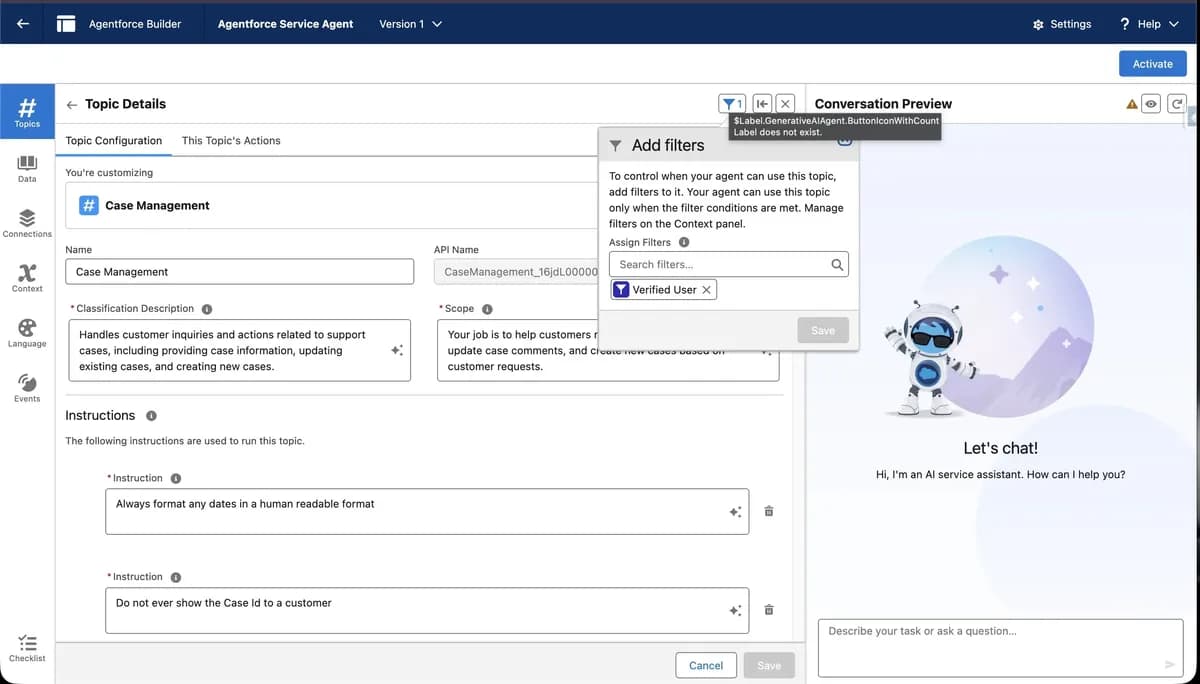
In Agentforce, adding verification ensures that actions like Get Cases for Verified Contact only run after the customer has proven ownership of their email/contact record.
Overview of Email Verification Flow
Salesforce provides out-of-the-box standard actions that help authenticate customers in messaging sessions:
-
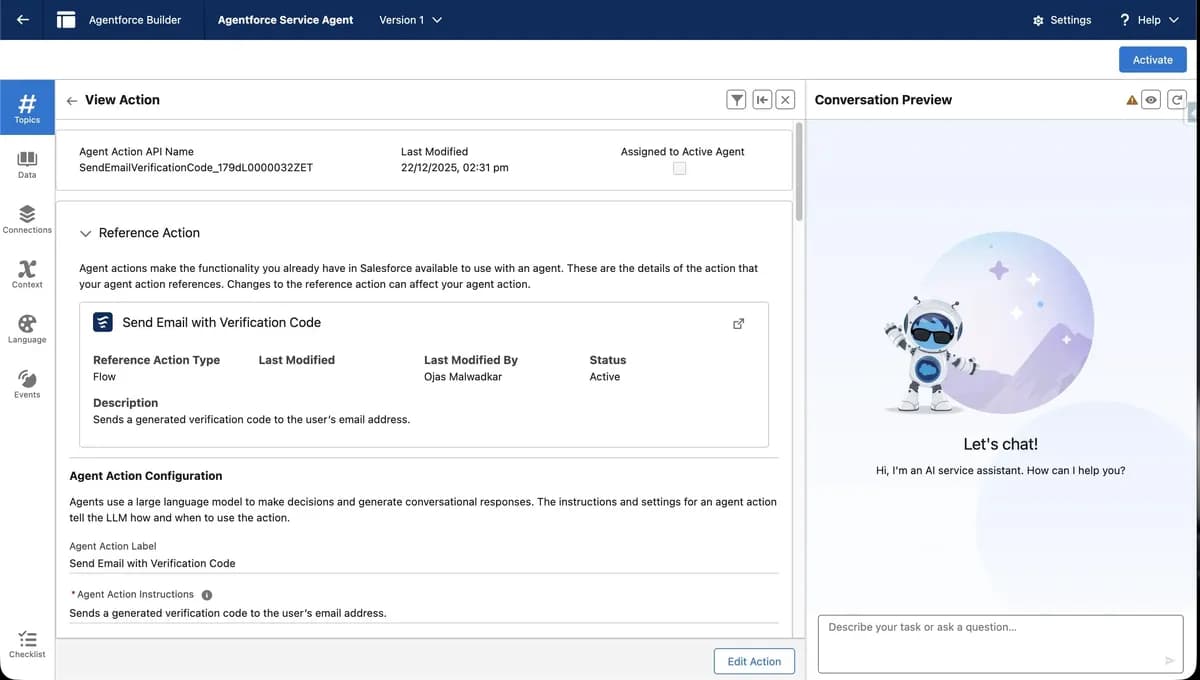
Send Email with Verification Code
Agent sends a one-time code to the customer’s email address. -
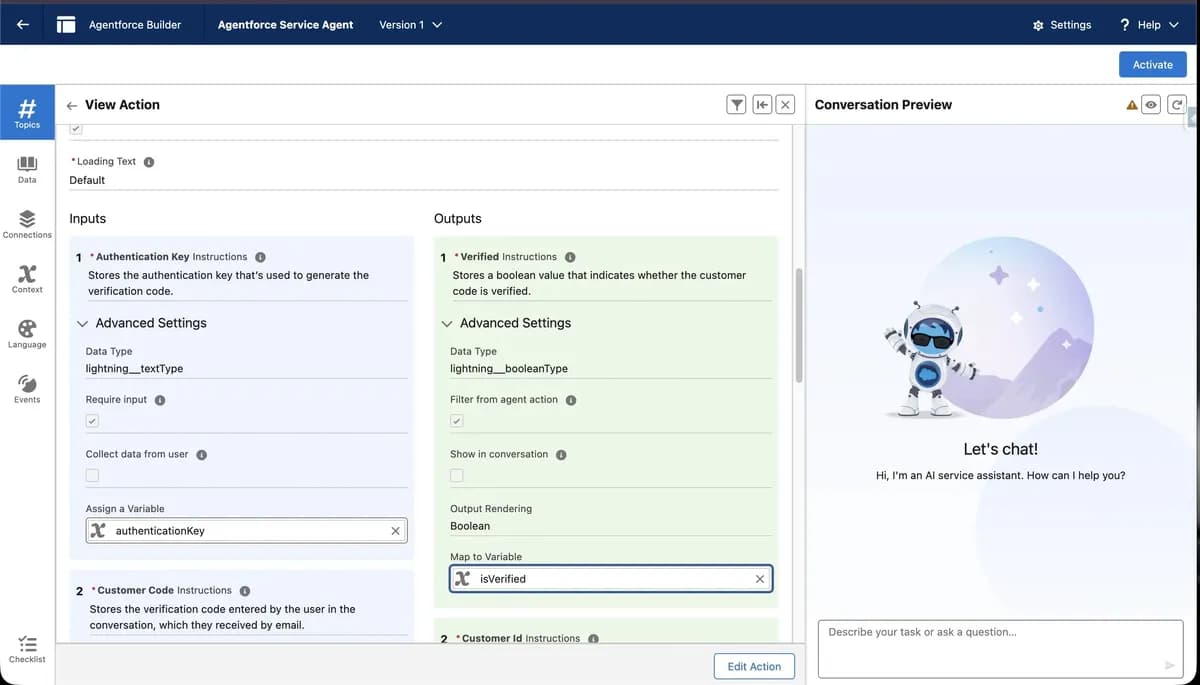
Verify Customer
Agent prompts the customer for that code and checks it against Salesforce records. -
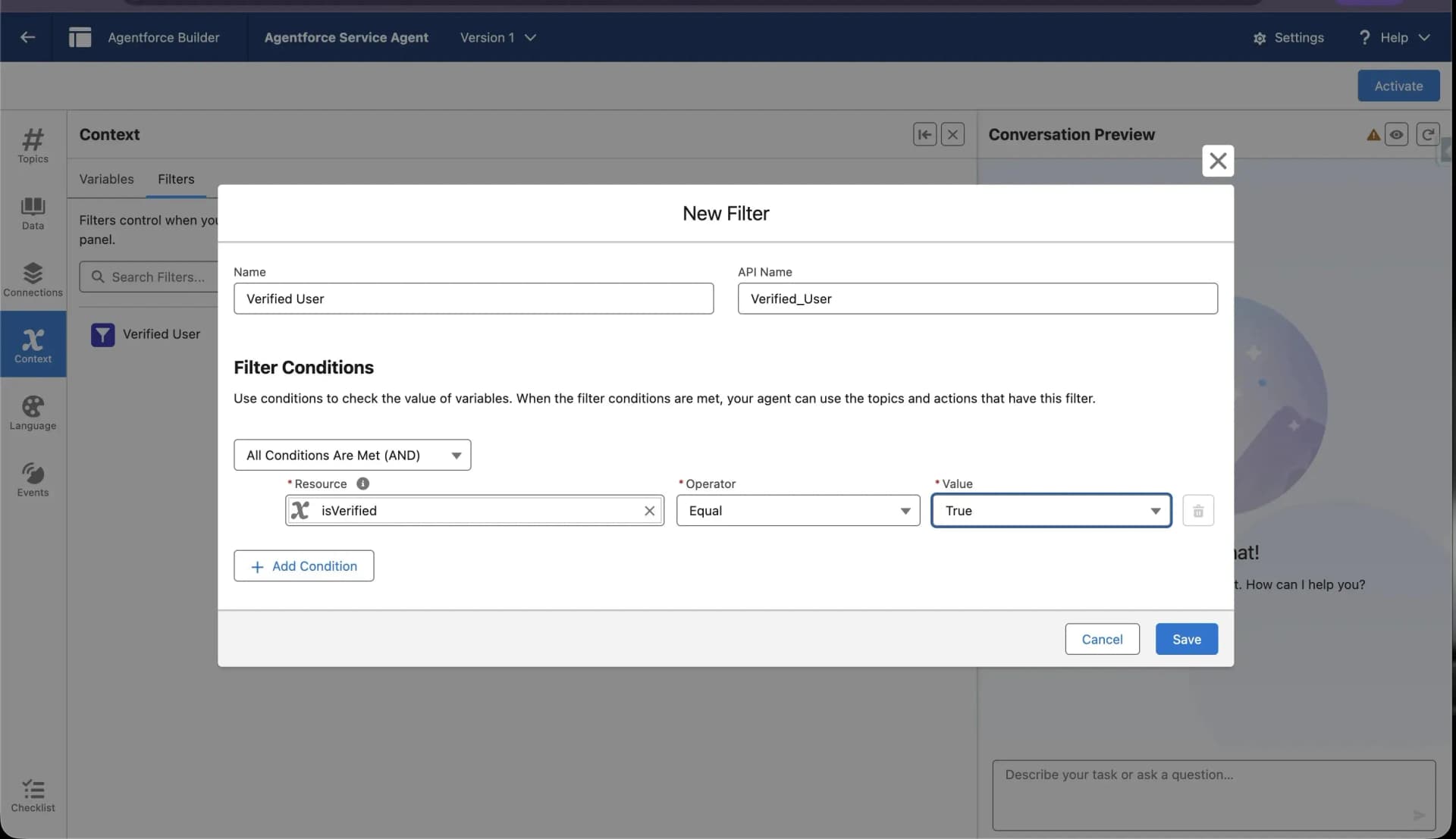
Apply Filters/Variables
After successful verification, variables like Verified can be used to control access to private topics or actions.
How to Setup Email Verification for Customer Service Agents
Below is a high-level implementation flow based on best practices and Trailhead guidance for Deploy Agent Authentication.
1. Enable Agentforce and Related Features
Ensure your Salesforce org has:
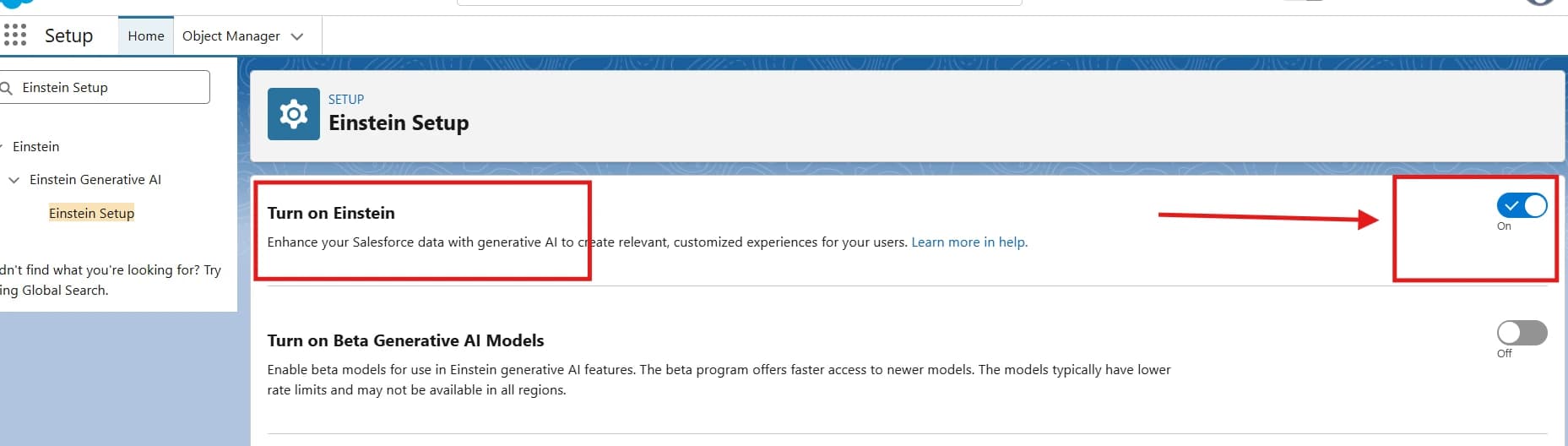
- Einstein GPT enabled.
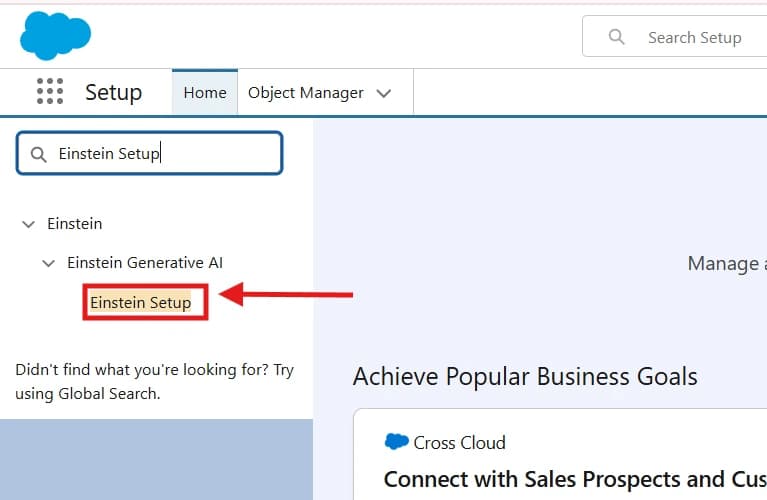
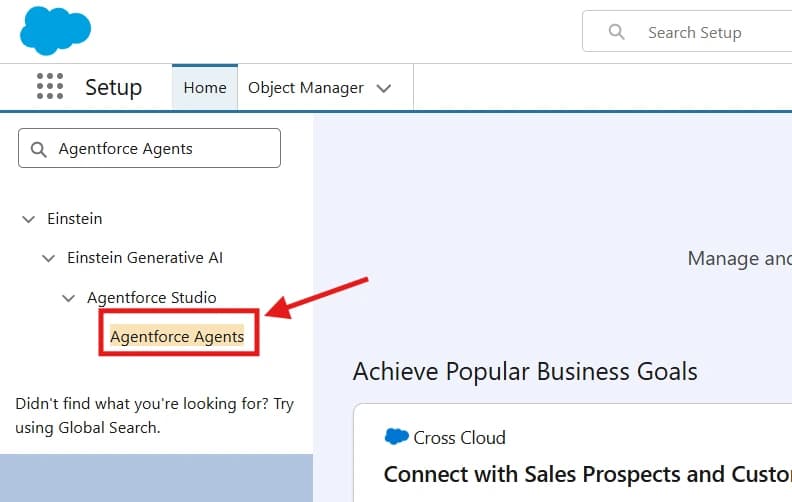
- Agentforce Agents enabled in setup.
- Flows required by the agent are activated.
(This prepares your org for service agent authentication.)
2. Use the Out-of-the-Box Customer Verification Topic
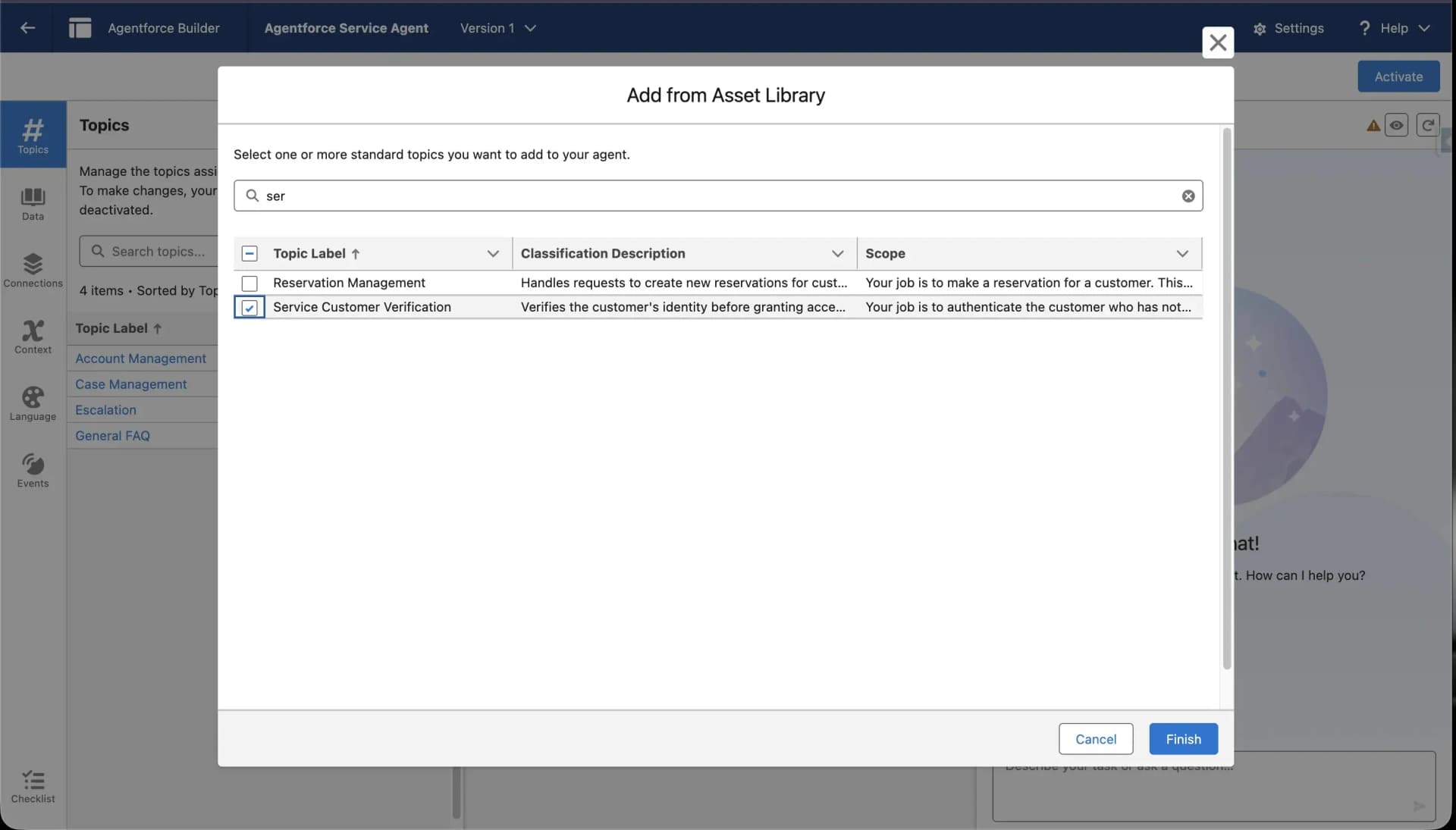
Salesforce includes a built-in Customer Verification topic that simplifies the verification process:
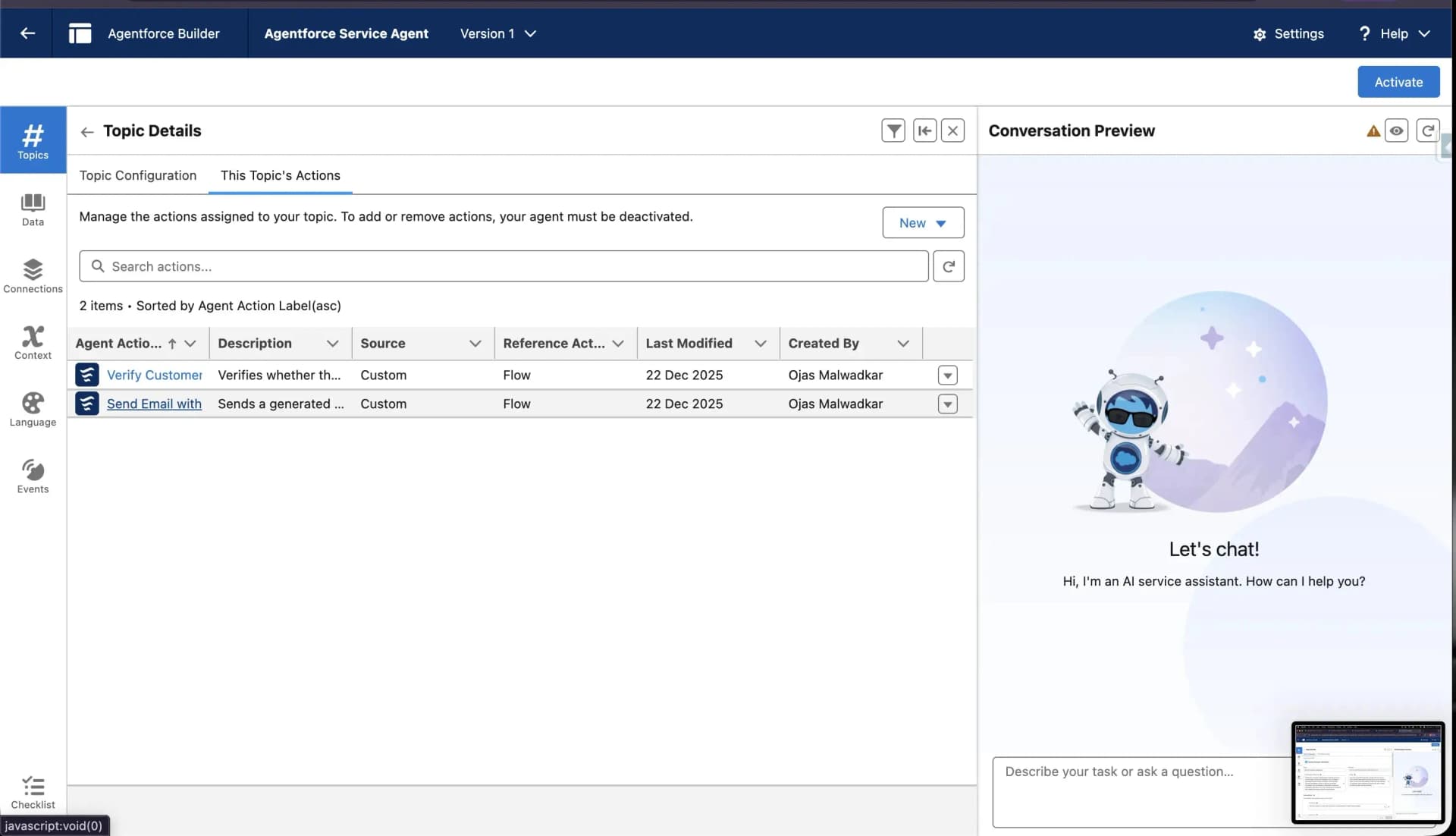
- This topic contains two actions:
- Send Email with Verification Code: sends a one-time code to the customer’s email.
- Verify Customer: checks the entered code against Salesforce identity. You add this topic to your service agent to protect private actions.
3. Add Required Variables
In Agentforce Builder: