A "global callable class" in Apex is a class marked global that implements the Callable interface. That means:
- global: it can be accessed outside your package/namespace (so external callers can use it).
- Callable: it exposes a single entry point, call(String action, Map<String, Object> args), and you route to different methods based on action.
In simple terms: it’s a single front door you can use to call multiple backend methods by name.
Utility
- Lets external systems (or tools like MCP) call Apex methods dynamically.
- You can add new “actions” without changing the interface, just add a new when branch.
- Works well for generic integrations where the caller only knows a method name + arguments.
Benefits
- One endpoint, many operations: no need to build separate REST endpoints per method.
- Flexible: can evolve without breaking callers.
- Tool‑friendly: easy for automation tools to call a single “dispatcher”.
- Centralized control: you can validate, log, and secure everything in one place.
A global class Extension which implements Callable can’t be invoked over REST by itself. You still need an API surface (Apex REST, Tooling, or a custom endpoint) that calls Extension.call().
Typical pattern:
-
Create an Apex REST class that receives action + args.
-
Inside it, instantiate Extension and call extension.call(action, args).
-
Your MCP tool calls that REST endpoint.
Here’s the code for Apex side (Callable + REST wrapper), and the MCP tool call in Node.
Apex: callable class
Extension.apxcglobal class Extension implements Callable {
  String concatStrings(String stringValue) {
    return stringValue + stringValue;
  }

  Decimal squareNumbers(Decimal decimalValue) {
    return decimalValue * decimalValue;
  }

  global Object call(String action, Map<String, Object> args) {
    switch on action {
      when 'concatStrings' {
        return this.concatStrings((String)args.get('stringValue'));
      }
      when 'squareNumbers' {
        return this.squareNumbers((Decimal)args.get('decimalValue'));
      }
      when else {
        throw new ExtensionMalformedCallException('Method not implemented');
      }
    }
  }

  global class ExtensionMalformedCallException extends Exception {}
}
Apex: REST wrapper
ExtensionCallApi.apxc@RestResource(urlMapping='/ExtensionCall/*')
global with sharing class ExtensionCallApi {
  @HttpPost
  global static String callExtension() {
    Map<String, Object> body = (Map<String, Object>)JSON.deserializeUntyped(
      RestContext.request.requestBody.toString()
    );

    String action = (String)body.get('action');
    Map<String, Object> args = (Map<String, Object>)body.get('args');

    Extension ext = new Extension();
    Object result = ext.call(action, args == null ? new Map<String, Object>() : args);

    return JSON.serialize(new Map<String, Object>{ 'result' => result });
  }
}
MCP tool (Node)
server.jsmcpServer.registerTool(
  "extensionCall",
  {
    description: "Dispatches to Apex Extension.call via REST.",
    inputSchema: z.object({
      action: z.string(),
      args: z.record(z.any()).optional()
    })
  },
  async ({ action, args }) => {
    const result = await conn.apex.post("/ExtensionCall/", {
      action,
      args: args ?? {}
    });

    return {
      content: [{ type: "text", text: JSON.stringify(result) }],
    };
  }
);
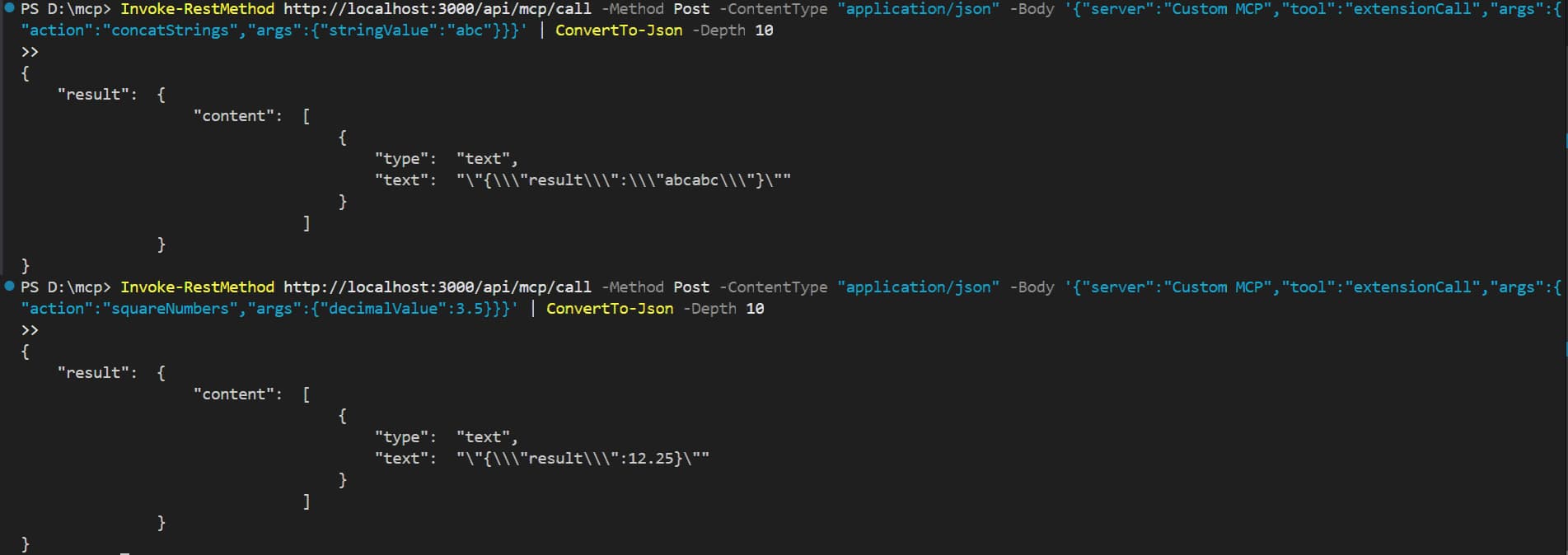
Now, To call this tool, Use the MCP UI with the tool name extensionCall and pass action + args:
For Concatinate:
call extensionCall {"action":"concatStrings","args":{"stringValue":"abc"}}
For Square:
call extensionCall {"action":"squareNumbers","args":{"decimalValue":7}}