In this blog, you will learn how the Actionable Relationship Center (ARC) in Salesforce Financial Services Cloud helps visualize complex client networks, streamline relationship management, and provide real-time insights for advisors and bankers.
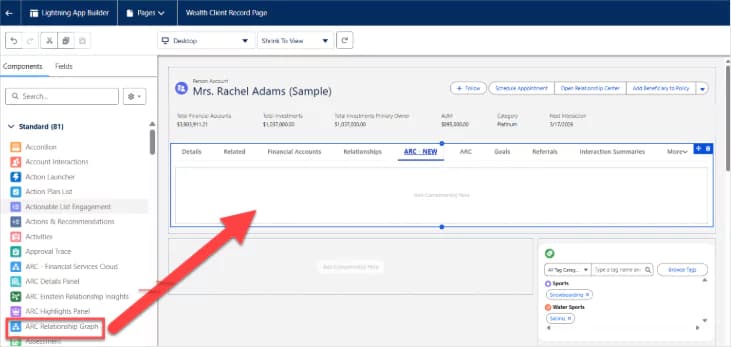
With Actionable Relationship Center (ARC), you can build graphs with standard and custom objects to show relevant customer relationship data to your users, customize node names, show fields, and object and record actions so that your users can easily view, edit, delete, and create records during customer interactions.
The Actionable Relationship Center is all about visualizing complex network relationships and understanding these complex networks that make up the clients lives.
Financial Advisors & Bankers need an easy-to-understand view of their client’s household, such as who is the primary point of contact, family member relationships, financial summary at a glance and family assets.
Investment Bankers focus on helping companies conduct major business operations. They need to know who the key executives are, what the account structure and history looks like, the latest news in the company or industry, and view who is working on deals.
Understanding Some Technical Aspects of ARC
Before we are setting up the org for ARC, let's understand some technical aspects of ARC.
- Data model is the bottom layer of ARC that defines the logical structure of data and how foundational entities like objects, relationships, and fields are related to each other.
- Business logic is the middle layer of ARC that defines the business rules and workflows that handle the exchange of information between the data model and UI (User Interface) layers. Business logic examples include Compliant Data Sharing (CDS) and Einstein Relationship Insights (ERI).
- User interface is the top layer where ARC resides as ARC is essentially a UI visualization feature. ARC surfaces entities and functionalities that have been defined in the data model and business logic layers below. Record pages and Lightning Web components also fall in the UI layer.